

What Should You Expect When Implementing EstateWorks?
By Paul Edwards, CEO, and Monica Sandler, Director of Customer Success, EstateWorks Systems LLC
Implementing a new operational platform can sound overwhelming. There is information to gather, decisions to make, processes to define and people to train.
Our objective with an EstateWorks implementation is to make that process structured and manageable - and to make sure that, when you go live, EstateWorks reflects the way you want your organization to operate.

Like preparing a meal, the first step is making sure you have what you need.
The first step is to send you two implementation workbooks: a Client Information Workbook and a Settlement Checklist Workbook.
The Client Information Workbook gives us the information we need to begin setting up your EstateWorks environment. The Settlement Checklist Workbook is where we begin the more substantive work of configuring EstateWorks around your desired operating model.
The Client Information Workbook covers the fundamentals: who will use EstateWorks and their email addresses; the Case Team Roles you expect to use and which users belong in which roles; your IT and security requirements, including password rules; and basic organizational information such as how you want your firm name to appear and the standard footer for emails generated through EstateWorks.
We also ask about the other systems EstateWorks needs to work with - for example, which securities valuation system and 706 estate tax return software you use.
The objective is straightforward: EstateWorks shouldn't be implemented in isolation. It needs to fit into your existing operating and technology environment.
This information is generally pretty straightforward to assemble. Once we have it, we can begin setting up your EstateWorks environment, including working with your technology team to implement Single Sign-On (SSO) or multi-factor authentication (MFA).
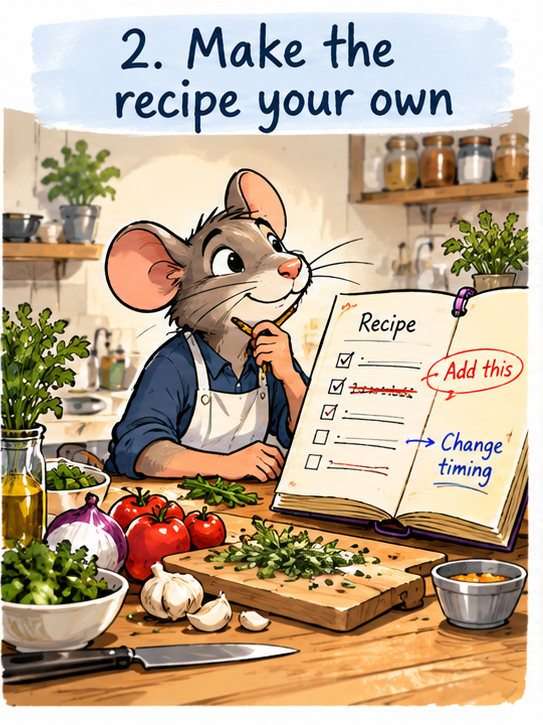
We give you the recipe. Your job is to make it your own.
For each state in which you require a distinct Estate Settlement Master Checklist, we'll provide our standard sample checklist for that state. It includes a typical structure of processes and tasks, together with representative role assignments and due-date calculations.
You don't have to use our checklist. In fact, you shouldn't.
It's a starting point, so you're not faced with a blank sheet of paper. We won't be upset if you hack our default to death - change the tasks, rename the processes, alter the assignments, rethink the deadlines. That's the objective.
By the time you're finished, it should be your checklist, reflecting the way you want your organization to operate.
And that distinction matters, because your Master Checklist isn't simply a list of things to do.
It's a manifestation of your desired operating model.
This Part Should Take Some Thought
The Client Information Workbook usually comes back to us pretty quickly.
The Settlement Checklist Workbook is generally the rate-limiting step in the implementation process. It can be completed in a day or two, but most organizations spend a couple of weeks getting it right.
That's not because the workbook is particularly difficult to complete. It's because the decisions behind it deserve some thought.
It creates an opportunity for people across the organization to discuss how they actually want work to be performed. What processes should you have? How granular should individual tasks be? Who should normally be responsible for them? Which deadlines should be calculated automatically, and from what dates?
There isn't necessarily one correct answer to those questions.
The right level of granularity, for example, depends partly on your organization's culture and how you want work to be managed. A checklist should provide enough structure to support the operating model you want without imposing detail that serves no useful purpose.
We're available to help with those decisions.
For most of our customers, designing a Master Checklist isn't something they do very often. They might do it once now and perhaps revisit it substantially a couple of years from now.
We've seen hundreds.
That gives us useful pattern recognition. If you're wondering how best to calculate a particular deadline, whether something warrants its own task, or how other organizations tend to divide a process, we can share what we've seen work elsewhere.
The decisions remain yours. Our job is to help you configure EstateWorks around your desired operating model, with the benefit of what we've learned from seeing many different approaches.
We Review It Too
When you send the completed Master Checklist back to us, we don't simply upload it.
We review it.
If something appears unusual, doesn't seem internally consistent, or differs significantly from patterns we've seen elsewhere, we'll raise it with you and have a conversation about it.
That doesn't mean it's wrong.
There may be a very good reason why your organization wants to work differently. In fact, that's precisely the point: the checklist should reflect your desired operating model, rather than forcing your organization into ours.
Once we're all comfortable with it, we upload the Master Checklist into EstateWorks for you.
We break out this part of the process largely because Estate Settlement checklists can be big. A checklist might contain six to ten processes, with some individual processes containing ten to twenty tasks. Working on it separately in a tool like Excel makes it much easier to design and review something of that scale as a whole.
Estate Planning checklists tend to be much smaller - perhaps a pre-signing and post-signing process with six to twelve tasks in each. Later in the implementation, we'll show you how to build and maintain those directly within EstateWorks.
Making Changes After Implementation
Individual matters can be adapted directly in EstateWorks. Case Team members can add, remove or modify tasks for an individual matter without changing the underlying template.
Authorized business users can make changes to the organization's Master Checklist Templates directly, including tasks, dependencies, role assignments and due-date rules.
Changes to Master Checklist Templates apply to all new cases created with that checklist going forward. Changes to due-date calculations propagate directly to existing matters; other changes can be applied to existing matters with help from EstateWorks support.
You can therefore continue improving your standard processes while adapting individual matters to the work they require.

At some point, you have to stop working on the recipe and start cooking.
Once the environment is set up and your checklist is uploaded, the emphasis shifts from the system to the people who will use it.
Our primary objective in training isn't simply to teach people the mechanics of EstateWorks.
It's to build confidence.
Initial training is hands-on for everyone. We want everybody actually creating a case, editing information and adding comments. We want them to discover for themselves that EstateWorks is straightforward to use - and that it's actually quite difficult to break anything.
Some people get there before formal training. They've logged in, explored the product and used our support materials to find their way around. That's great.
Wherever people start, our objective is that by the end of training they feel comfortable using EstateWorks on real cases straight away.
We also want them to be comfortable with us.
People should know not only that they can ask EstateWorks a question, but that they shouldn't hesitate to do so. Establishing that relationship during implementation is an important part of building confidence in the overall system.
There's also a somewhat selfish reason we invest heavily in training.
We know we're going to spend the time training people anyway. We'd rather spend a little more time doing it properly at the beginning than repeatedly answer basic usage questions through our support desk later.
That's better for our customers, and it's better for us. And when something does reach support, it's more likely to be a substantive question rather than a basic usage issue.
Not Everyone Needs to Know Everything
Initial training provides the general foundation everybody needs.
From there, we can provide more focused training on areas such as financial information or document generation. Not every EstateWorks user needs the same depth of knowledge in every part of the system, so there's little benefit in making everyone sit through detailed training they don't need.
The goal remains the same: give each person enough knowledge and experience to feel confident doing the work they actually need to do.

The objective, of course, was never simply to finish the implementation.
We don't consider training successful because we've worked through a training agenda.
It's successful when your people are comfortable putting real matters into EstateWorks and getting real work done.
By that point, we've also established something that matters beyond implementation: a working relationship between your team and ours. Your people know the system, they know how to find information when they need it, and - importantly - they feel comfortable reaching out to us when a question arises.
Because ultimately, a successful EstateWorks implementation isn't about getting the software configured.
It's about creating confidence that the operating model you've designed can now be put into practice.
More Trust and Estates Workflow Resources
Other articles that you may find interesting.
-

article
3 Key Factors for Successful Implementation
Applying technology effectively within Trust & Estate organizations.
Read More3 Min. Read
-

article
A Checklist is not an Operating Model
Components & characteristics of effective estate planning and settlement checklists.
Read More3 Min. Read
-
Take a Guided Tour ...
... of the operational platform that helps Trust & Estate organizations coordinate work, apply their operational model consistently and gain operational visibility across the practice.
Watch Now12 Min. Watch